WHAT CHANGED
What did the extension change
Compare detected changes to the title, summary, description, version, and other public listing fields.
Explore detected listing edits, version releases, users, ratings, and review history across 350K+ Chrome extensions—and find changes worth investigating further
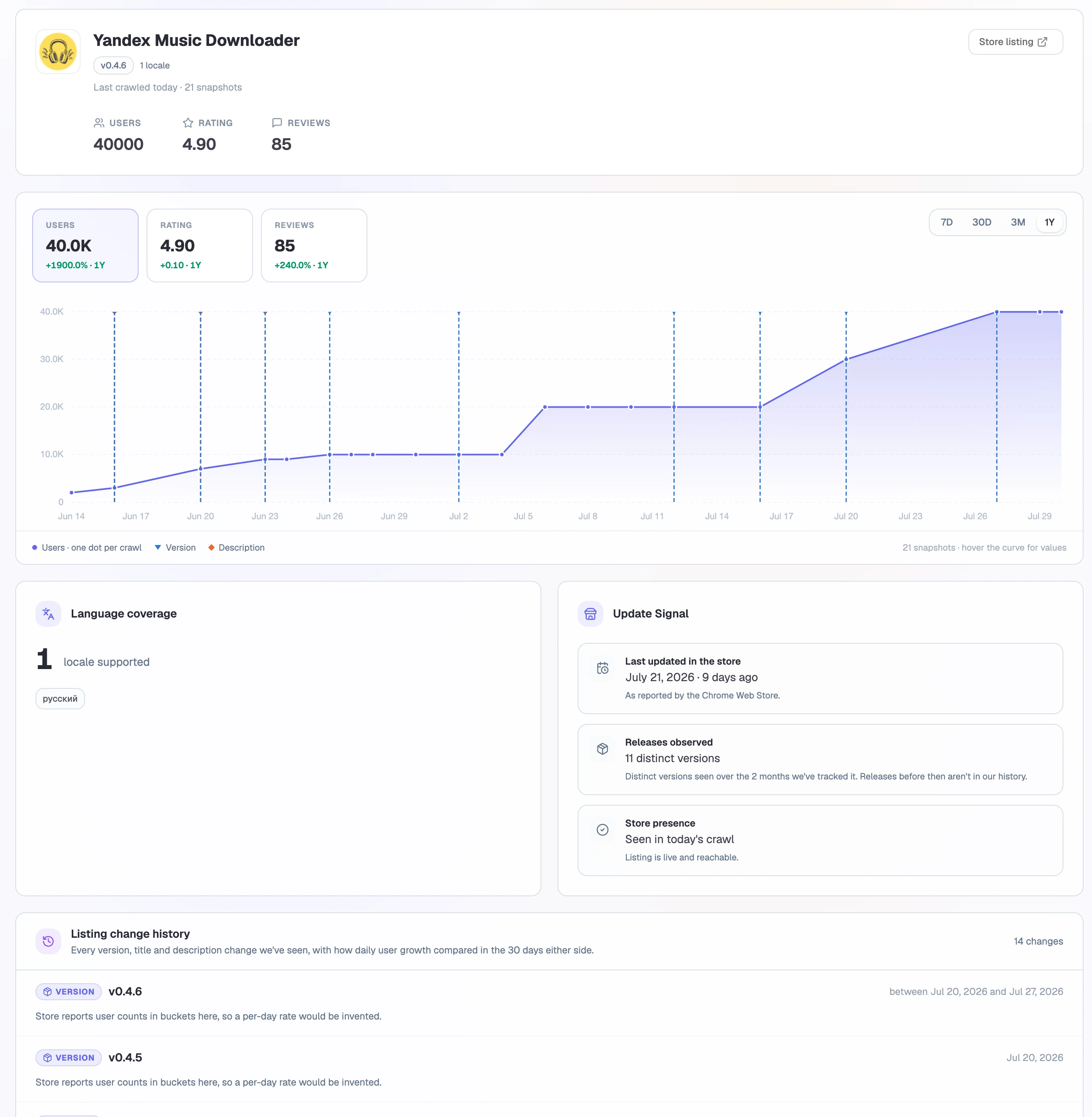
Live Extension Research interface captured from an active Extension Ranker workspace.
THE DECISION
A change becomes useful when you can see what changed, when it was detected, and what else was happening around the same period.
WHAT CHANGED
Compare detected changes to the title, summary, description, version, and other public listing fields.
WHEN
See the observation window in which the change appeared, without inventing an exact edit timestamp.
CONTEXT
Compare users, and reviews around the detection window to decide whether the change deserves a closer look.
PRODUCT FLOW
One investigation path: the latest profile, the historical series, and the changes we detected along the way.
Search by name, paste a Chrome Web Store URL, or enter the 32-character extension ID.
Open the latest profile and see which historical series are available for this extension.
Move from a point on the timeline to the version or listing change recorded around it.
Check how users and ratings moved around the change before drawing conclusions.
THE EVIDENCE
350K+ extensions indexed with their current metadata, historical series, and the changes we detected in between, giving you the context a single store page can't show.
CURRENT PROFILE
Users, rating, reviews, version, badges, locales, last store update, and other indexed store fields.
TIME SERIES
Collected user, rating, and review history shows the direction an extension is moving.
DETECTED CHANGES
Adjacent crawls reveal changes to version, title, description, and Featured status.
CONTEXT WINDOW
Where coverage allows, compare the 30 days before and after a change instead of judging one point alone.
PRODUCT QUESTIONS
No. It only means the extension is not yet in our database of 350K+ indexed extensions.
Where snapshots support them, the profile can surface version, title, description, and Featured-status changes alongside users, ratings, and reviews.
Not always. A change is detected between crawler observations, so the product presents the observation interval instead of inventing an exact edit time.
Yes. You can inspect any extension in our database without proving ownership.
NEXT DECISION
Explore related keywords or start tracking a specific extension-keyword pair when you need ranking evidence.