CHOOSE
Which competitors should influence the draft?
Filter your audit's Top 10 into a smaller reference set based on feature overlap with your extension.
See whether your changes are likely to improve your ranking, and refine them before they go live.
Not ready to sign up? Grade your listing free →
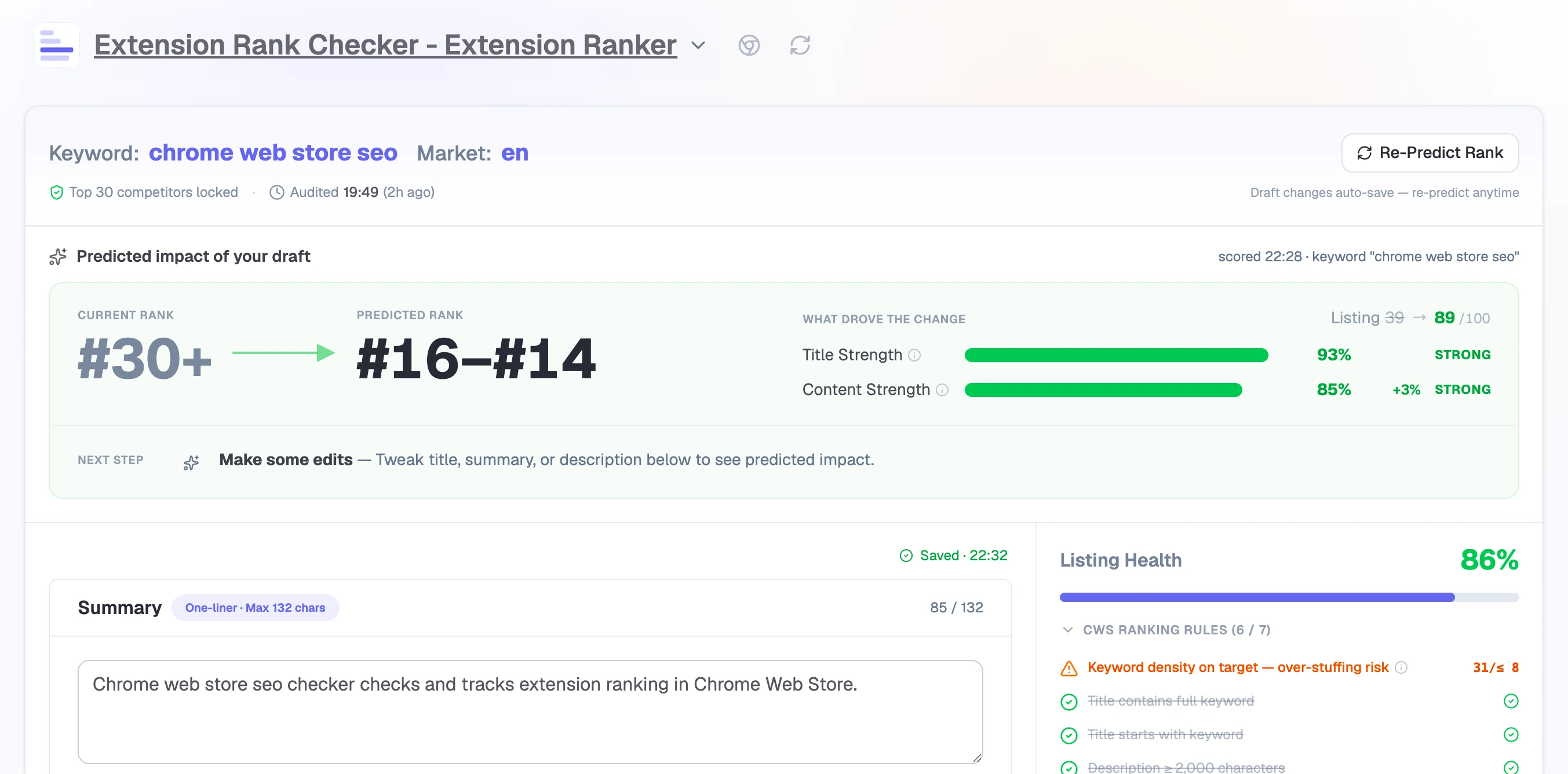
The prediction is tied to the saved audit shown in the product.
THE DECISION
Instead of a generic keyword list, Listing Lab helps you choose the right references, see how their fields are written, and apply only the evidence relevant to your draft.
CHOOSE
Filter your audit's Top 10 into a smaller reference set based on feature overlap with your extension.
UNDERSTAND
See primary and competitor terms, current usage, target ranges, and real samples separately for title, summary, and description.
VERIFY
Predict Rank re-scores the draft against your audit snapshot and shows the before/after against your saved baseline.
PRODUCT FLOW
Write with the right references in view, then check the score before anything ships.
Inherit the target keyword, market, extension version, baseline scores, and competitor evidence.
Select 3-10 relevant competitors from the audit's Top 10 to focus the terms and samples.
Move through title, summary, and description with field-specific usage ranges and real competitor patterns beside the draft.
Re-score the draft, compare it with your baseline, copy the final text to the store, and follow the result in Ranking Tracker.
COMPETITOR-GROUNDED EDITING
The audit defines the competitive reality. Listing Lab lets you narrow the writing references to extensions with meaningful feature overlap, then shows exactly how those references affect each field.
01 / REFERENCE COMPETITORS
Ranking Audit captures the competitive set. Listing Lab lets you narrow it to the extensions whose features and audience are most relevant to the draft you are writing.
Changes terms and samples only. Predict Rank stays on the locked Top 30.
02 / FIELD-SPECIFIC TERMS
Title, Summary, and Description serve different jobs. Listing Lab keeps their guidance separate instead of treating the whole listing as one keyword document.
Guidance follows the active field. Title, summary, and description keep separate terms, counts, and reference ranges.
03 / COMPETITOR SAMPLES
Terms show what appears in the market. Samples provide the missing context: where those ideas appear and how competitors explain them in complete sentences.
In the product, this tab pulls the selected competitors’ actual Description text. These illustrative excerpts show how users compare structure and phrasing before writing their own copy.
Translate selected text and full pages without interrupting the current browsing flow.
Read, write, and communicate across languages from the page you already have open.
Use bilingual page translation, document translation, and contextual language tools.
The selected 3-10 competitors determine which terms and samples appear beside the editor.
The Top 30 baseline from your audit stays fixed, so every prediction is comparable with the one before it.
THE EVIDENCE
Writing guidance comes from the competitors you actually face: their terms, their ranges, their copy, collected in your audit and kept beside the draft.
INHERITED
Target keyword, market, extension version, baseline factors, and the audit's Top 30 competitive context stay with the draft.
FILTERED
Choose top 3-10 competitors with useful feature overlap to focus the terms and samples shown in the workspace.
FIELD-SPECIFIC
Current usage, reference ranges, and actual examples stay scoped to title, summary, or description.
BEFORE / AFTER
Predict Rank scores your draft against the same baseline your audit measured, so the comparison is apples to apples.
PRODUCT QUESTIONS
Listing Lab opens from a Ranking Audit, so the editor already has your target keyword, market, baseline, recommendation, and competitor evidence.
No. It uses the competitor features frozen in the connected Ranking Audit, keeping repeated draft comparisons consistent.
It changes the terms and samples shown beside the editor. It does not change the locked Top 30 baseline used by Predict Rank.
No. You remain in control of publishing and copy the final text into Chrome Web Store Developer Dashboard.
VERIFY THE RESULT
Establish a ranking baseline, add version context, and bring meaningful movement back to attention.