SOURCE
Whose listing should generate the ideas?
Choose an extension already added to Extension Ranker or enter a competitor's Chrome Web Store URL or ID.
Stop guessing how people search for extensions like yours. Build a shortlist of relevant keywords before deciding where to invest your SEO effort.
Not ready to sign up? Check any extension's rank free →
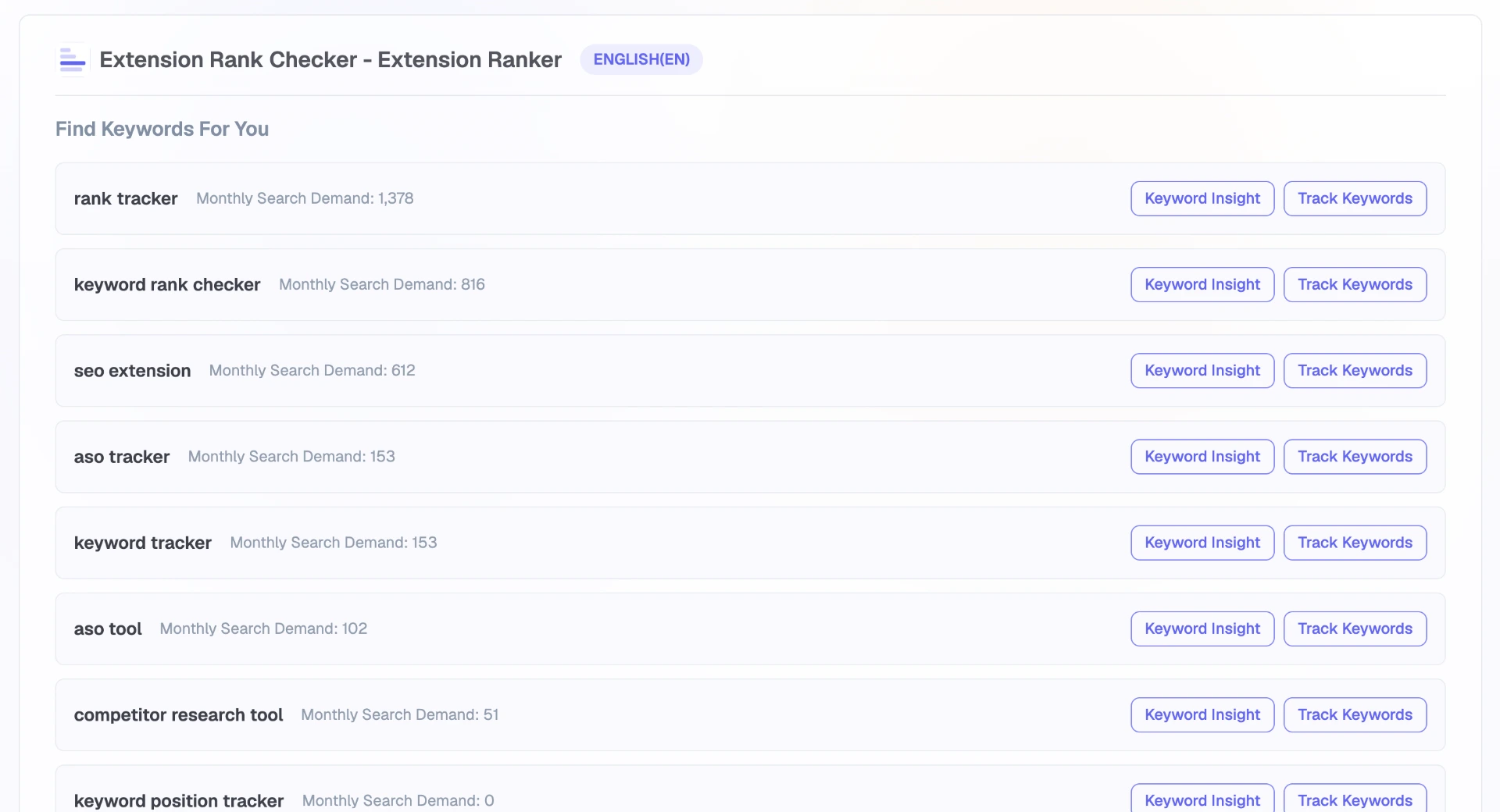
Recommendations and demand values reflect the captured query.
THE DECISION
Keywords Explorer uses the listing as context, so each recommendation begins with what the extension does and how it is described.
SOURCE
Choose an extension already added to Extension Ranker or enter a competitor's Chrome Web Store URL or ID.
LANGUAGE
Select the localized listing whose title, summary, and description should provide the recommendation context.
RESULT
Review generated keyword ideas and why they relate to the listing, then open a promising candidate in Keyword Insights.
PRODUCT FLOW
The workflow removes the blank-page problem while keeping the recommendation tied to a specific extension and language.
Use Added Item for your own extension or Competitor for another Chrome Web Store listing.
Choose which localized title, summary, and description the recommendation should analyze.
Use the listing's product context and use cases to produce related terms and longer-tail searches.
Open a candidate in Keyword Insights for competition analysis or add it to Ranking Tracker.
TWO ANALYSIS MODES
Same workflow, two sources. Pick who provides the context.
ADDED ITEM
Explorer reads your current title, summary, and description, and surfaces related searches your product already supports.
COMPETITOR
Paste a store URL or extension ID to see the search language another listing targets, including terms your own copy doesn't reveal.
THE EVIDENCE
Explorer expands your opportunity set while keeping the origin of each result explicit, so you always know why a term showed up.
LISTING-DERIVED
Every idea is generated from the listing's actual content, so you can see why it was suggested.
LONG-TAIL
Listing use cases expand into longer, more specific searches you would not get from a blank keyword box.
LANGUAGE-SCOPED
Recommendations follow the selected listing language rather than pretending every market uses the same terms.
NEXT DECISION
Open a relevant idea in Keyword Insights when you are ready to evaluate demand, competition, and the extensions ranking for it.
PRODUCT QUESTIONS
Yes. Use Competitor mode and enter the extension's Chrome Web Store URL or ID.
It determines which localized listing content is analyzed and the language used for the resulting recommendations.
No. Explorer finds related candidates from listing context. Open a candidate in Keyword Insights to evaluate demand, competition, and the extensions ranking for it.
EVALUATE A CANDIDATE
Compare demand, competition, and the extensions already occupying the current Top 10.